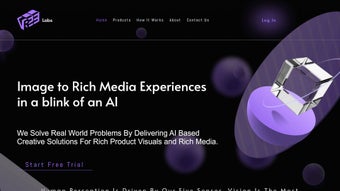

Download VREE Labs – AI‑Powered 2D‑to‑3D Converter for Fast, Secure AR/VR Experiences
Overview: Turning 2D Product Images into Ready‑to‑Use 3D Models
VREE Labs is a cloud‑based web application that uses cutting‑edge artificial intelligence to transform ordinary 2‑dimensional product photographs into high‑quality, interactive 3‑dimensional models in seconds. The platform is designed for businesses of any size that want to enrich their online catalogs, boost customer engagement, and tap into the growing demand for augmented reality (AR) and virtual reality (VR) experiences. By automating background removal, surface‑material replication, and geometry generation, VREE Labs removes the technical barrier that traditionally kept 3D modeling exclusive to specialist designers. The result is a seamless workflow where a marketer can upload a product shot, click “Generate,” and instantly receive a fully textured 3D asset ready for embedding on e‑commerce sites, mobile apps, or AR‑enabled advertisements.
The service is built on a scalable cloud infrastructure, ensuring fast processing times even during peak usage and providing an integrated asset‑management system for organizing, tracking, and sharing generated models and virtual‑try‑on links. Whether you run a fashion brand, furniture retailer, or consumer‑electronics store, VREE Labs offers a secure, affordable way to future‑proof your digital presence and stay ahead of competitors who are still relying on static images. In addition to speed and convenience, the platform complies with GDPR and CCPA, giving enterprises confidence that sensitive product imagery is protected throughout the conversion pipeline. The combination of AI accuracy, browser‑based accessibility, and multi‑format export makes VREE Labs a compelling choice for anyone looking to turn static visuals into immersive, conversion‑driving experiences.
Key Features & Benefits
VREE Labs packs a robust set of capabilities that address the most common pain points associated with 3D content creation. Below is a curated list of its most valuable features, each described with the practical benefits they bring to end‑users. The platform’s architecture has been thoughtfully engineered to balance raw performance with ease of use, ensuring that both technical and non‑technical team members can get value from the service without extensive training or expensive add‑ons.
- AI‑Driven 2D‑to‑3D Conversion – Deep‑learning algorithms analyze shape, lighting, and texture to generate accurate 3D meshes without manual modeling.
- Instant Background Removal – The platform isolates the product from its surroundings, delivering clean models ready for AR placement.
- Material Property Replication – Surface characteristics such as gloss, roughness, and reflectivity are automatically captured, producing realistic renders.
- Rapid Processing Speed – Most uploads are converted within 5‑10 seconds, enabling real‑time preview and fast iteration cycles.
- Cloud‑Based Asset Management – All generated models are stored securely in a searchable library, with version control and sharing links.
- AR/VR Ready Export Formats – Export options include glTF, USDZ, OBJ, and FBX, ensuring compatibility with popular AR SDKs and game engines.
- Scalable API Integration – Developers can embed conversion capabilities directly into e‑commerce platforms, mobile apps, or CMS workflows.
- Secure Data Handling – End‑to‑end encryption protects uploaded images and generated assets, complying with GDPR and CCPA standards.
- Multi‑Industry Templates – Pre‑configured settings for fashion, furniture, electronics, and automotive speed up onboarding.
- Free Trial & Tiered Pricing – Users can test the service with a limited number of free conversions before choosing a plan that fits their volume needs.
Collectively, these features empower marketing teams to launch immersive product experiences without hiring 3D artists or investing in expensive software licenses. The speed of conversion reduces time‑to‑market, while the built‑in asset manager simplifies collaboration across design, sales, and development departments. Moreover, the ability to export directly to AR‑compatible formats means businesses can instantly populate Shopify, Magento, or custom native apps with interactive product views, leading to higher conversion rates, lower return rates, and a measurable lift in average order value. For agencies handling multiple client catalogs, the multi‑tenant architecture and API rate‑limiting controls provide the necessary safeguards to manage large‑scale workloads efficiently.
Installation, Usage & Compatibility
Because VREE Labs is a web‑based solution, there is no traditional software download or installation required on the end‑user’s machine. The entire workflow runs inside modern browsers, making it instantly accessible on Windows, macOS, Linux, Android, and iOS devices. Below is a step‑by‑step guide that outlines the typical user journey from account creation to embedding a 3D model on a storefront, as well as best‑practice tips to avoid common pitfalls.
Getting Started
- Sign Up – Visit vree-labs.com and create a free account using an email address or single‑sign‑on (SSO) via Google or Microsoft.
- Verify Email – Confirm your account through the verification link sent to your inbox. This step activates the free trial quota.
- Access the Dashboard – After login, you are taken to the central dashboard where you can upload images, view conversion history, and manage assets.
- Set Up API Keys (Optional) – For developers, generate an API key in the “Integrations” tab. This key will be used for programmatic uploads and bulk processing.
Uploading & Converting
- Upload a 2D Image – Click “New Conversion,” drag‑and‑drop a high‑resolution product photo (JPEG, PNG, or TIFF). The system recommends a minimum of 1200 px width for optimal detail and a neutral background to improve AI accuracy.
- Select a Template (Optional) – Choose an industry‑specific preset to fine‑tune material settings, such as fabric sheen for apparel or metal reflectivity for electronics.
- Start Conversion – Hit “Generate.” The AI engine processes the image, removes the background, and builds a 3D mesh. Progress is shown in real‑time.
- Review & Edit – Once complete, preview the model in an interactive viewer. Minor adjustments (e.g., scaling, orientation, or material intensity) can be made directly in the browser without re‑uploading.
- Export or Share – Choose an export format (glTF for web, USDZ for iOS AR, FBX for Unity/Unreal) or copy a shareable link that embeds a live AR viewer on any website. The link includes analytics tracking so you can monitor user interactions.
- Integrate via API (Advanced) – Use the RESTful endpoint to automate batch uploads from your product‑information‑management (PIM) system. Webhooks can notify your CMS when a new 3D asset is ready, enabling zero‑touch publishing.
System Requirements & Compatibility
Because VREE Labs runs entirely in the cloud, the only requirement is a modern browser with WebGL support (Chrome, Edge, Firefox, Safari). The service works on desktop operating systems—including Windows 10/11, macOS 12+, and most Linux distributions—as well as mobile platforms such as Android 10+ and iOS 13+. No additional plugins or GPU drivers are needed, making it an ideal solution for remote teams and agencies that operate on a variety of devices. For best performance, ensure your browser is up to date and that you have a stable internet connection of at least 5 Mbps.
Pros, Cons & Frequently Asked Questions
Below you will find an honest assessment of VREE Labs’ strengths and areas where the platform could improve, followed by a curated FAQ that addresses the most common concerns raised by users and developers.
Pros
- Lightning‑fast AI conversion eliminates manual modeling.
- Zero‑install, browser‑based access across all major OS platforms.
- Built‑in asset manager streamlines organization and version control.
- Export to multiple AR/VR formats without extra conversion tools.
- Secure, GDPR‑compliant data handling reassures privacy‑sensitive businesses.
- Scalable API enables bulk processing for large catalogs.
- Industry‑specific templates reduce setup time for new users.
Cons
- Complex textures (e.g., intricate patterns) may require manual touch‑ups after conversion.
- Free tier limits the number of monthly conversions, which may be restrictive for high‑volume sellers.
- Reliance on internet connectivity; offline use is not currently supported.
- Large image files (>25 MB) must be compressed before upload, adding an extra step for photographers.
- Advanced material tweaking still requires basic 3D knowledge for optimal results.
FAQ – Answers to Common Queries
How long does a single conversion take?
Typical processing time ranges from 5 to 10 seconds for standard product photos. Larger images or complex material presets may take up to 20 seconds, still well within real‑time expectations.
Can I integrate VREE Labs with my existing e‑commerce platform?
Yes. VREE Labs provides a RESTful API and webhook support that lets you automate image uploads directly from Shopify, Magento, WooCommerce, or custom back‑ends, enabling seamless 3D asset generation at scale.
What file formats are supported for export?
Export options include glTF (ideal for web and Three.js), USDZ (required for native iOS AR), OBJ, FBX, and GLB. All exports retain material properties and texture maps generated by the AI engine.
Is there a limit on the size of images I can upload?
The platform accepts images up to 25 MB. For best results, use high‑resolution photos (minimum 1200 px width) with clear lighting and minimal background clutter.
How does VREE Labs ensure data privacy?
All data transfers are encrypted via TLS 1.3, and stored assets are encrypted at rest. The service complies with GDPR, CCPA, and offers optional data‑retention policies for enterprise customers.
Can I batch‑process thousands of images automatically?
Yes. Using the API you can script bulk uploads, monitor job status via webhooks, and retrieve generated assets in bulk. Enterprise plans include higher rate limits and priority processing queues.
Conclusion – Why You Should Download VREE Labs Today
VREE Labs bridges the gap between static product photography and immersive 3D experiences with a user‑friendly, AI‑powered workflow that saves time, reduces cost, and drives engagement. Its cloud‑native architecture guarantees fast, secure conversions on any device, while the built‑in asset manager and multi‑format export options make it a versatile addition to any digital‑commerce stack. Whether you are a small boutique looking to add AR try‑on features or an enterprise seeking to scale 3D content across thousands of SKUs, VREE Labs provides a future‑proof solution that aligns with today’s consumer expectations for interactive shopping. Don’t let your competitors outpace you—download VREE Labs now, start the free trial, and transform your product catalog into a captivating, conversion‑boosting 3D showroom.



.png)



